When Your Lap Becomes a Liability: The Hidden Cost of Bad Laptop Ergonomics
Photo: Kskhh, CC BY-SA 4.0, via Wikimedia Commons
The Couch Isn't Your Office — Your Laptop Knows It
There's a certain appeal to remote work that gets sold hard in lifestyle content: the freelancer on the beach, the digital nomad in a hammock, the entrepreneur answering emails from bed. What those images never show is what's happening inside the machine — or inside the person using it.
Bad ergonomics isn't just a posture problem. It's a hardware problem. And if you're running a portable workstation as your primary productivity tool, the way you physically position that device during long sessions has a direct, measurable impact on how long it lasts and how well it performs.
Let's break down what's actually going on.
Heat Is the Enemy — and You're Making It Worse
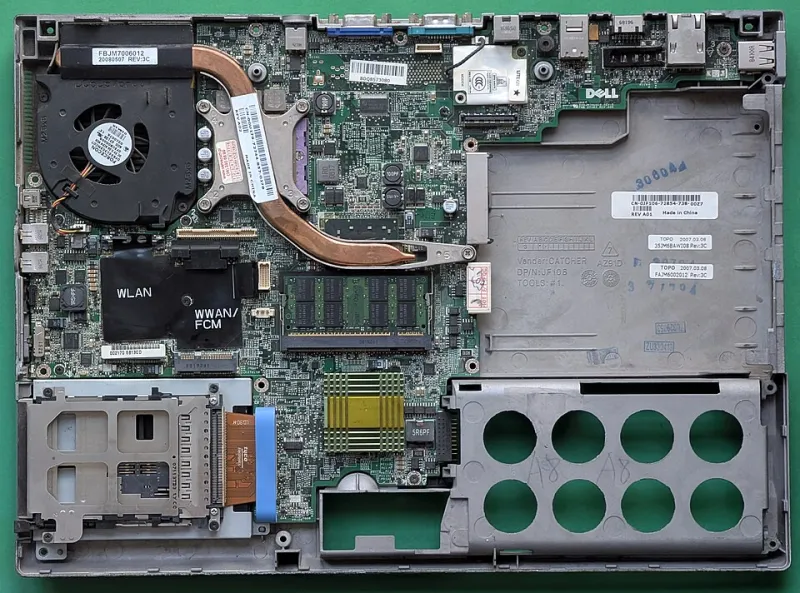
Every modern laptop is engineered with thermal management in mind. The cooling system — whether it's a single fan, a dual-fan setup, or a vapor chamber design — is built around a specific assumption: that air can flow freely in and out of designated vents. Usually, that means intake from the bottom and exhaust from the sides or rear.
Now put that laptop on your lap. Or a couch cushion. Or a pillow. Or that soft blanket you love in winter.
Congratulations — you've just blocked the intake vents.
When airflow gets restricted, the processor and GPU can't dump heat fast enough. The cooling fans spin up to compensate, running harder and longer than they were designed to. Thermal throttling kicks in, which is your laptop's way of slowing itself down to avoid frying internal components. Performance tanks. And over time, the repeated cycle of heat buildup, aggressive fan operation, and thermal stress degrades the solder joints, capacitors, and battery cells that hold your machine together.
This isn't theoretical. Repair technicians across the country routinely see laptops brought in for "random shutdowns" or "slowdowns" that trace directly back to years of use on soft surfaces. The damage compounds quietly, then announces itself all at once.
The Battery Takes a Hit Too
Lithium-ion batteries are famously heat-sensitive. Manufacturers typically rate battery longevity based on charge cycles performed within a specific temperature range — usually somewhere between 50°F and 95°F. Sustained operation above that range accelerates chemical degradation inside the cells.
When your laptop runs hot because it's sitting on a soft surface, your battery is baking. You might not notice it in month one or even month six. But by month eighteen, you're watching that battery percentage drop at a rate that makes no sense for a machine that young.
For mobile workers who depend on all-day battery life — whether they're hopping between client sites, working from airports, or grinding through long sessions at a coffee shop with limited outlets — this kind of premature degradation isn't just annoying. It's a genuine productivity liability.
Your Body Is Filing the Same Complaint
While the hardware quietly suffers, so does the person using it. The physics of laptop use on a soft surface or low table forces a predictable chain of bad posture: the screen sits too low, the chin drops toward the chest, the shoulders round forward, and the wrists bend at angles that put sustained strain on tendons and nerves.
The result? A cluster of repetitive strain injuries that are showing up in occupational health data at increasing rates among remote workers. Neck and upper back pain from sustained forward head posture. Wrist and forearm discomfort that creeps toward carpal tunnel territory. Lower back strain from slouching into whatever surface seemed comfortable at the time.
A study published by the American Physical Therapy Association found that remote workers reported significantly higher rates of musculoskeletal discomfort compared to their in-office counterparts — and a major contributing factor was the improvised nature of home workstation setups. The office, for all its flaws, at least had a desk.
Building a Mobile Setup That Actually Works
Here's the good news: fixing this doesn't require a full home office renovation. It requires a few intentional choices about the gear you carry and how you deploy it.
Start with a hard surface. This sounds obvious, but it's the single most impactful change you can make. A laptop on a solid desk or table — even a cheap folding one — allows proper airflow and reduces thermal stress dramatically. If you're regularly working from the couch or bed, a lap desk with a hard surface and built-in airflow channels is a worthwhile investment. Several solid options from brands like LapGear and Targus run under $40 and make a real difference.
Raise the screen. Your laptop screen, when placed flat on a desk, sits too low for most people's eye level. A laptop stand that elevates the display to roughly eye height — around 15 to 20 inches from the desk surface — puts your neck in a neutral position. Stands like the Rain Design mStand or the more portable Nexstand K2 are popular among road warriors for good reason. Yes, this means you'll need an external keyboard and mouse, but that's actually the right call anyway.
Go external for input. A compact Bluetooth keyboard and a wireless mouse add minimal weight to your bag but completely change the ergonomic equation. Your wrists sit flat, your elbows stay at roughly 90 degrees, and your shoulders stop creeping toward your ears. Logitech's MX Keys Mini and the Keychron K3 are both slim enough to slip into a laptop sleeve without adding serious bulk.
Mind the airflow, always. Whatever surface you're working on, take thirty seconds to confirm that your laptop's vents aren't obstructed. Some ultrabooks vent exclusively through a hinge gap at the rear — those are actually more forgiving on soft surfaces, but they still need clearance. When in doubt, prop the rear of the machine up slightly with a simple stand or even a folded notebook. A few millimeters of lift makes a measurable difference in operating temperature.
Take the breaks seriously. No ergonomic setup eliminates the need for regular movement. The 20-20-20 rule — every 20 minutes, look at something 20 feet away for 20 seconds — is widely cited for eye strain, but the same principle applies to posture. Standing up, stretching your hip flexors, and rolling your shoulders every half hour does more for long-term physical health than any chair upgrade.
The Pocket Workstation Philosophy, Applied
The whole premise of a portable workstation is that you can do serious, professional-grade work from anywhere. But "anywhere" doesn't mean "under any conditions." Your hardware has physical requirements. Your body has physical requirements. Ignoring both in the name of flexibility is how you end up with a three-year-old laptop that runs like it's six — and a neck that feels the same way.
The best mobile setup isn't the lightest one or the most minimalist one. It's the one that keeps you and your gear running at full capacity for the long haul. A little intentionality about how you position yourself and your machine pays dividends that show up in your performance, your health, and your hardware's lifespan.
That's not ergonomics for its own sake. That's just smart mobile computing.