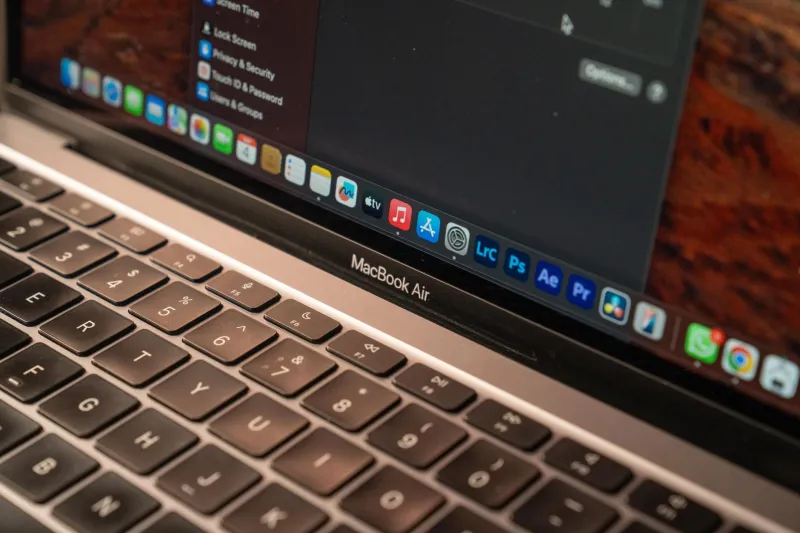
Your Laptop's Mic Is Quietly Making You Look Amateur — Here's the Fix That Costs Less Than Lunch
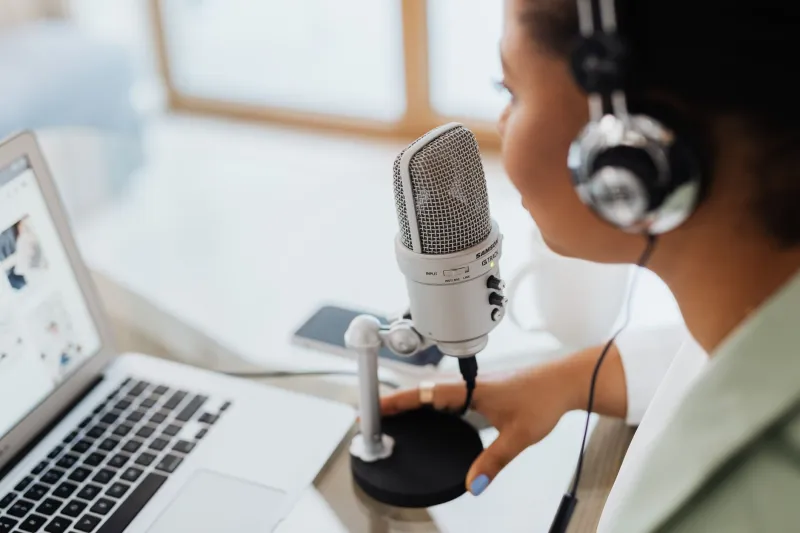
You spent $1,500 on a laptop. Maybe more. The display is gorgeous, the keyboard feels premium, and the thing boots in under ten seconds. You've optimized your mobile setup down to a science.
And then you hop on a Zoom call, and your coworker in Chicago asks you to repeat yourself for the third time.
Here's the uncomfortable truth: the microphone inside your expensive laptop is probably terrible. Not "could be better" terrible — genuinely, embarrassingly bad. And it's affecting how your colleagues perceive you every single time you open your mouth on a call.
Why Laptop Mics Are Almost Always an Afterthought
Laptop manufacturers are fighting a war on two fronts simultaneously: they want their machines thinner and lighter while also cramming in more battery, better cooling, and increasingly powerful silicon. Something has to give. And more often than not, that something is acoustic engineering.
A microphone that sounds genuinely good needs physical space. It needs distance from the noise floor of the chassis — the fan hum, the electrical interference, the vibrations from your typing. It needs a capsule with real surface area to capture sound accurately. Thin laptops offer none of that. The mic array gets shoved into whatever sliver of real estate is left near the keyboard deck or the display hinge, surrounded by components that are actively working against clean audio capture.
Manufacturers know this. They also know that most consumers test laptops in stores or review videos — environments where nobody's listening critically to microphone quality. So the spec sheet says "dual-array microphone with AI noise cancellation" and everyone moves on. The AI noise cancellation part is doing a lot of heavy lifting in that sentence, by the way. It's compensating for hardware limitations through software, and software can only go so far.
The result? Your $2,000 MacBook Pro or Dell XPS ships with microphone hardware that a $40 USB mic from Amazon would embarrass in a side-by-side test.
What "Bad Audio" Actually Does to Your Professional Reputation
This isn't just a comfort issue. There's real research suggesting that audio quality directly influences how listeners perceive a speaker's intelligence and credibility. A study out of the University of Southern California found that people rated identical content as less trustworthy and less competent when delivered through poor audio. Your ideas are only as good as how clearly they land.
In a remote work environment — where you don't have body language, eye contact, or a firm handshake to establish presence — your voice is doing enormous amounts of professional work. When it sounds like you're calling in from a tin can, you're starting every meeting at a disadvantage.
And it's not just about how you sound in the moment. People mentally check out when audio is fatiguing to listen to. If colleagues are spending cognitive energy trying to parse what you're saying through compression artifacts and background hiss, they're not fully processing your actual message.
Testing the Alternatives: What Actually Works
The good news is that solving this problem doesn't require a recording studio budget. We tested a range of external microphone options across a variety of remote work scenarios — home offices, coffee shops, hotel rooms, and co-working spaces — to find what genuinely moves the needle.
USB cardioid condenser mics in the $50–$100 range — options like the Blue Snowball iCE or the Fifine K678 — immediately and dramatically outperformed every built-in laptop microphone we tested. Cardioid pickup patterns focus on sound coming from directly in front of the mic while rejecting ambient noise from the sides and rear, which is exactly what you want in a typical call environment. Voice clarity improved across the board, and background noise rejection was noticeably better than the "AI-enhanced" built-in arrays.
Clip-on lavalier mics are the sleeper option for mobile workers specifically. A decent lav mic — the Rode SmartLav+ sits around $80 — clips to your collar and stays about six inches from your mouth regardless of how you're positioned. That consistent proximity makes a huge difference in call-to-call audio consistency. They're also genuinely portable in a way that a desktop condenser isn't.
USB-C compatible compact mics have gotten surprisingly good in the last two years. The Shure MV88+ and similar offerings fold flat and plug directly into your laptop's USB-C port, which matters a lot if you're already maxed out on ports or running everything through a hub.
One thing we noticed consistently: even a modest external microphone with no noise cancellation software outperformed built-in mics running aggressive AI processing. Real hardware beats software compensation every time.
The Portability Argument
We get it — you built a lean, mean mobile setup and you don't want to add another piece of gear to the bag. Fair. But consider the size trade-off realistically. A small USB lav mic weighs almost nothing and takes up roughly the same space as a charging cable. Even a compact desktop mic like the Rode NT-USB Mini fits comfortably in a laptop sleeve side pocket.
For the serious mobile worker, the calculus is simple: you've already invested in a quality machine, a good display setup, maybe a mechanical keyboard for feel. The microphone is the last piece of the communication stack, and it's the one your colleagues actually experience on every single call. It deserves the same intentionality as the rest of your kit.
The Manufacturer Accountability Gap
It's worth naming what's happening here directly. Laptop manufacturers are charging premium prices for machines they know ship with a meaningful communication handicap. The marketing materials lean heavily on video call optimization and "studio-quality" audio — language that conveniently conflates speakers with microphones and assumes you'll never actually compare the built-in mic against anything better.
Until consumers start demanding better — and until reviewers start testing microphone quality with the same rigor they apply to display color accuracy or battery life — this isn't going to change. The incentives don't point that direction. Thinness sells. Acoustic engineering doesn't photograph well.
The Bottom Line
If you're doing meaningful remote work — client calls, team meetings, presentations, interviews — your built-in laptop microphone is probably the weakest link in your professional communication chain. The fix is cheap, portable, and immediately obvious to everyone on the other end of the call.
Spend $50 to $80 on a decent external mic. Put it in your bag. Use it every time. The ROI on sounding competent and clear in every meeting you'll have this year is not a hard calculation to run.
Your laptop is already doing a lot of things well. Don't let a $3 component be the reason your ideas don't land.