Lightest Isn't Always Freest: The Hidden Usability Tax on Ultra-Thin Laptops

There's a moment every mobile worker knows. You're in a coffee shop, a departure lounge, or the backseat of a rideshare, and your "ultraportable" laptop is open in front of you — and somehow, you're miserable. The screen's too small to split windows. The keyboard feels like typing on a deck of cards. The battery icon is already threatening you. And the thing weighs less than a hardcover novel.
Something doesn't add up.
We've been trained to equate lightness with freedom. The laptop industry spent decades selling us on the idea that shaving a few ounces off your bag changes your life. And sure, if you're hauling gear across a college campus or through international connections, weight matters. But weight is only one dimension of portability — and it might not even be the most important one.
The Spec Sheet Doesn't Come With You
When you're standing in a Best Buy or scrolling through Amazon reviews, the numbers that jump out are the easy ones: 2.4 lbs, 0.55 inches thin, 13.3-inch display. Those are clean, comparable, marketable. What the spec sheet doesn't tell you is how that 13.3-inch display handles a spreadsheet with 40 columns, or whether the keyboard travel is deep enough to type on for three hours without your fingers staging a revolt.
Manufacturers optimize for the sale, not the session. A laptop that photographs beautifully in a lifestyle ad — open on a marble café table, owner looking effortlessly productive — might be a genuine nightmare to work on for a full afternoon. The compromises that make a machine thin and light tend to show up exactly when you need the machine most.
Screen Size Is a Productivity Variable, Not Just a Preference
Let's start with the display, because this is where ultraportables quietly hurt you the most. A 12- or 13-inch screen feels generous when you're browsing. It feels claustrophobic when you're trying to run a video call, a browser, and a document side by side — which is basically every remote work scenario ever.
Resolution helps, but only up to a point. A 2560x1600 display on a 13-inch machine sounds impressive until you realize that running it at native resolution makes text microscopic, and scaling it back down to something readable eats up the extra real estate you thought you were getting. The math rarely works out the way the marketing implies.
For a lot of mobile workers, a 15-inch laptop they find slightly annoying to carry is dramatically more productive than a 13-inch one they love lifting. That's a tradeoff worth thinking hard about.
Keyboards: Where Thin Goes to Die
The engineering constraints on an ultraportable keyboard are brutal. To hit aggressive thickness targets, manufacturers have to flatten key travel, sometimes to the point where typing feels like pressing buttons on a microwave panel. You adapt — humans are adaptable — but adaptation has a cost. Slower typing, more errors, more fatigue over a long session.
This isn't a minor comfort issue. If you're a writer, a developer, or anyone whose job involves putting words or code into a machine for hours at a time, keyboard quality is a direct input into your output. A keyboard that makes you 10% slower or 15% less accurate isn't a lifestyle preference — it's a productivity problem.
Some companies have gotten genuinely good at thin keyboards. Others have not. The difference is rarely obvious from a product page, which is why it matters so much to actually type on a machine before you commit to it.
The Trackpad Lottery
Trackpads on ultraportables are another area where compromises hide in plain sight. Surface area shrinks as chassis dimensions shrink, and smaller trackpads mean less room for gestures, less precision for fine cursor work, and more accidental inputs when your palms graze the surface during typing.
Apple has largely solved this on its thin machines, which is part of why the MacBook Air keeps showing up in conversations about portable productivity. But plenty of Windows ultraportables ship with trackpads that feel like an afterthought — technically functional, practically frustrating. If you're someone who works without a mouse (which, when you're actually mobile, you often are), the trackpad is your primary pointing device. Treat it accordingly when you're evaluating a machine.
Battery Life: The Spec That Lies the Most
Here's where the portability trap really snaps shut. Manufacturers test battery life under conditions that have almost nothing to do with how you actually work. Screen brightness turned down, Wi-Fi off or lightly used, no video calls, no heavy browser tabs. Under those conditions, even a modest battery can hit impressive numbers.
In the real world — screen at a usable brightness, Slack open, a few Chrome tabs running, maybe a video call thrown in — those numbers can drop by 30 to 50 percent. A laptop advertised at 12 hours might genuinely deliver 7 under working conditions. That's still decent. But a slightly heavier machine with a physically larger battery might deliver 10 or 11 hours of actual use, which means you're unplugging less, carrying your charger less, and spending less time hunting for outlets at the airport.
The irony is real: the laptop you carry to avoid being tethered to a wall might be the one that keeps dragging you back to one.
When Heavier Actually Means Freer
None of this is an argument for lugging a 6-pound workstation replacement everywhere you go. There's a legitimate case for ultraportables, especially for users with specific, lighter workloads or genuine physical constraints around carrying weight. But the conversation needs to be more honest.
A 14-inch laptop at 3.2 pounds with a full-size keyboard, a comfortable trackpad, a battery that lasts a real workday, and a display large enough to actually multitask on might be more portable in practice than a 2.6-pound machine that forces you to carry a mouse, a portable charger, and a lot of frustration.
True portability is about friction. How much does this machine slow you down, physically or mentally, when you're away from your desk? The answer has something to do with weight — but it has just as much to do with whether you can actually get work done once it's open.
What to Actually Evaluate Before You Buy
If you're shopping for a genuinely mobile machine, here's what deserves more attention than the weight spec:
- Usable screen real estate — not just resolution, but how much you can realistically fit on screen at a comfortable scaling level
- Keyboard travel and feedback — find a way to type on it before you buy it, even if that means a trip to a store
- Trackpad size and palm rejection — especially if you work without a mouse
- Real-world battery life — look for independent reviews that test under actual workloads, not manufacturer claims
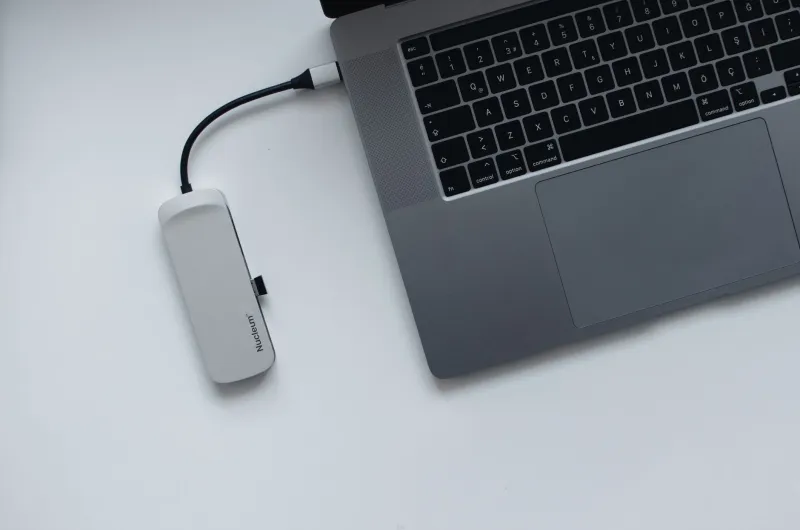
- Port selection — a laptop with no USB-A ports or SD card slot might force you to carry a hub everywhere, which adds weight right back
The lightest laptop in your bag isn't automatically the one setting you free. Sometimes it's the one holding you back.