Heard But Not Seen: How Acoustic Design Can Make or Break Your Mobile Work Game

There's a very specific kind of embarrassment that mobile workers know well. You're on a client call from a coffee shop in Austin or a hotel lobby in Chicago, things are going great, and then your laptop fan spins up like a turbine preparing for takeoff. Suddenly everyone on the call is asking if you're okay. You're fine. Your laptop, however, is screaming.
Sound is the invisible variable in portable computing. We chase grams and gigahertz, we obsess over OLED panels and USB-C throughput, but the acoustic environment — both what your machine produces and what surrounds it — gets almost zero attention. That's a mistake, and a pretty costly one if you work on the go regularly.
The Fan Problem Nobody Wants to Admit
Most thin-and-light laptops are engineering compromises. Manufacturers pack serious silicon into increasingly slim chassis, which creates a thermal management challenge that usually gets solved the same way: aggressive fans. Under sustained load — think a long video export, a big spreadsheet recalculation, or just a heavy Zoom session with screen sharing — plenty of popular machines become genuinely disruptive.
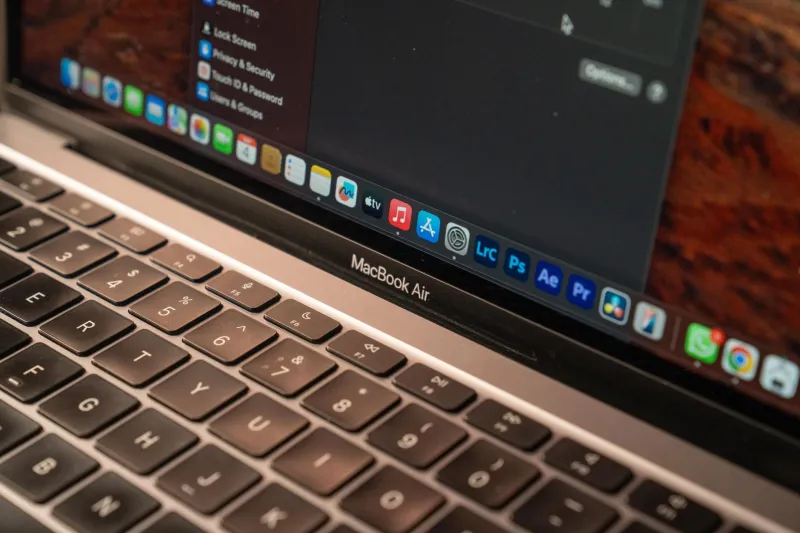
The laptops that handle this best tend to fall into two camps. First, there are fanless designs, which are almost exclusively ARM-based at this point. Apple's M-series MacBooks are the obvious example — the MacBook Air in particular runs completely silent because there's no fan at all. The thermal headroom is wide enough that passive cooling handles most everyday workloads without breaking a sweat. Microsoft's Surface Pro with Qualcomm's Snapdragon X Elite is another option in this space, though its sustained performance ceiling is lower than Apple's.
The second camp is machines with well-engineered active cooling that stays genuinely quiet under moderate loads. The Lenovo ThinkPad X1 Carbon has a solid reputation here — its fan management is tuned conservatively, and it rarely becomes audible in normal use. Similarly, some configurations of the Dell XPS 13 manage fan noise reasonably well, though it depends heavily on the specific chip and thermals involved.
What you want to avoid are gaming-adjacent thin laptops that borrow high-TDP chips from machines with much larger cooling solutions. Those fans aren't quiet by design — they're loud by necessity.
Your Microphone Is Picking Up Everything
Here's something that should scare you a little: laptop microphones are getting better, which means they're also better at picking up everything you don't want transmitted. Fan noise, keyboard clatter, ambient café chatter, the HVAC system in your Airbnb — modern far-field mics capture all of it with impressive fidelity.
The fix here is more accessible than you might think. A decent USB or Lightning podcasting mic — something like the Rode NT-USB Mini or even the Blue Yeti Nano — dramatically narrows the pickup pattern and gets the capsule closer to your mouth, where your voice is loudest relative to the room noise. Even a set of wired earbuds with a halfway-decent inline mic will outperform most built-in laptop microphones in noisy environments.
If you're not ready to add hardware to your bag, software noise suppression has gotten surprisingly capable. NVIDIA's RTX Voice (available even on non-RTX cards now via Broadcast) and Krisp — which runs as a virtual audio device on Mac or Windows — do a genuinely impressive job of separating voice from background noise in real time. Krisp in particular is worth the subscription if you're doing serious client-facing work from unpredictable environments.
Soundproofing a Go-Bag Setup (Without Going Overboard)
You're not building a recording studio. You're trying to take a call from a WeWork common area without sounding like you're reporting from a construction site. That's a solvable problem with modest gear.
A compact desktop mic stand or a simple clip-on boom arm keeps your mic positioned consistently regardless of how your laptop is angled. That consistency matters — a mic that's six inches from your mouth instead of eighteen inches away is capturing a fundamentally different signal.
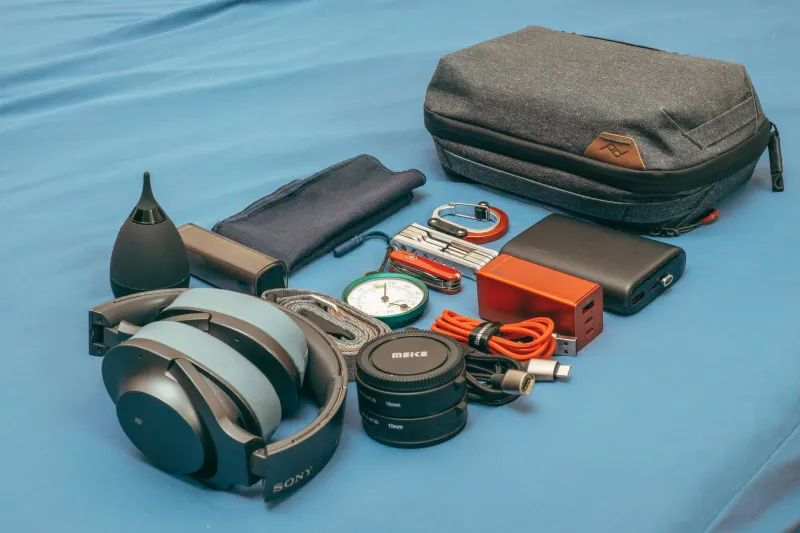
For headphones, closed-back over-ear models do double duty: they block ambient sound from reaching your ears (reducing distraction and fatigue) while also preventing audio bleed back into your microphone. The Sony WH-1000XM5 is a popular choice among mobile workers for exactly this reason, and it folds flat enough to be bag-friendly. If you prefer something lighter, the Bose QuietComfort 45 travels well and has solid call quality.
For truly noisy environments — airports, loud cafés, open-plan offices — a portable acoustic panel sounds absurd but actually exists in travel-friendly formats. Products like the VOMO or Kaotica Eyeball are designed for mobile podcasters and voiceover artists, but they work just as well for anyone who needs cleaner audio in a pinch.
The Focus Side of the Equation
This isn't just about how you sound to other people. It's also about how sound affects your own ability to work.
Cognitive research consistently shows that unpredictable, variable noise — conversations you can almost but not quite make out, intermittent sounds from nearby tables — is significantly more disruptive to focused work than steady background noise. This is why white noise and brown noise apps have become so popular among remote workers. They create a consistent acoustic floor that masks the distracting peaks.
Apps like Brain.fm, Endel, or even a simple brown noise track on Spotify can meaningfully improve concentration in loud environments. Pair that with good noise-canceling headphones and you've essentially built a portable acoustic bubble around yourself — which is about as close to a private office as you're going to get at the airport gate.
It's also worth thinking about keyboard noise here. Clicky mechanical keyboards are beloved by enthusiasts, but if you're working in shared spaces or on calls, the sound profile matters. Quieter switches — Topre, low-profile linear switches, or even a good scissor-switch keyboard — keep you from becoming that person at the library everyone silently resents.
The Bigger Picture
Portable productivity is about more than raw performance numbers. It's about showing up professionally regardless of where you're working from — a home office, a hotel room, a client's lobby, or a terminal at LAX. The acoustic environment you create (and the machine you choose) is a big part of that.
Next time you're evaluating a new laptop, try this: look up reviews that specifically mention fan noise under load. Run a quick YouTube search for the model name plus "fan noise test." It takes five minutes and it might save you from weeks of quietly horrifying your coworkers every time Chrome opens too many tabs.
Your portable setup should be invisible to everyone else on the call. They should hear your ideas, not your hardware.