Clicky vs. Chiclet: Choosing the Right Keys When Your Office Moves With You
There's a moment every serious mobile worker eventually hits. You're three hours into a coffee shop session, your fingers are starting to ache in that low-grade, hard-to-place way, and you realize the problem isn't the espresso or the ambient noise — it's what you've been typing on. Keyboard choice sounds like a minor detail until it's the thing quietly degrading your whole day.
For people who work from a fixed desk, this is largely a solved problem. Buy a mechanical you like, set it next to your monitor, and forget about it. But when your desk is a corner booth, a hotel nightstand, or your actual lap on a train? The calculus gets a lot messier.
Why Laptop Keyboards Are a Compromise You Didn't Agree To
Let's start with the obvious: the keyboard built into your laptop was never designed to be your primary input device for eight-hour stretches. It was designed to be good enough while keeping the device thin, light, and manufacturable at scale.
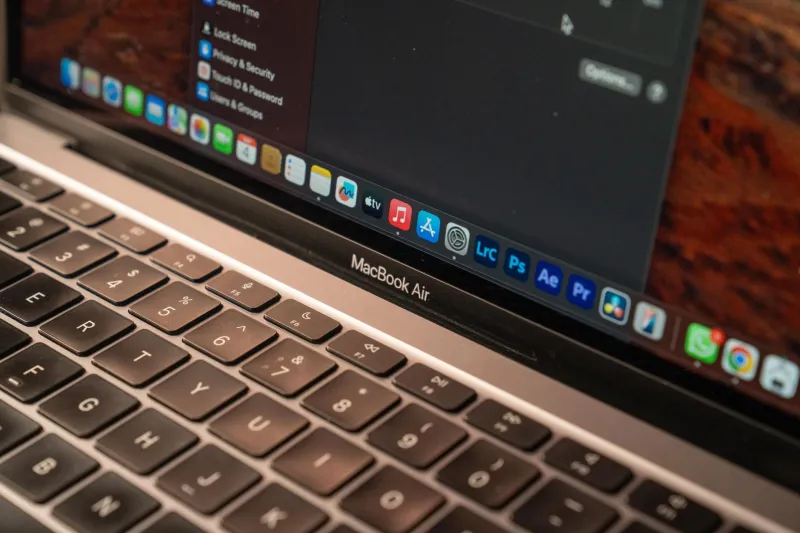
That said, some built-in keyboards are genuinely excellent. Apple's current Magic Keyboard-style layout on recent MacBooks is a legitimately solid typing surface. Lenovo ThinkPad keyboards have maintained a devoted following for decades because they actually prioritize key travel and tactile feedback. If you landed one of these, you're in better shape than you might think.
But plenty of laptops — especially in the ultra-thin Windows category — ship with keyboards that feel like typing on a slightly textured piece of glass. Shallow travel, mushy actuation, zero tactile feedback. They're fine for casual use. For the kind of sustained output that mobile work demands, they compound fatigue in ways that don't show up immediately. You feel it by day three of a work trip.
The other issue with laptop keyboards is positional. Because the keyboard is fixed to the screen, your wrists and forearms are always at the mercy of wherever the machine is sitting. On a proper desk at the right height, that's manageable. On a coffee shop table that's two inches too tall, your shoulders start doing work they shouldn't be doing.
The Case for a Portable Mechanical
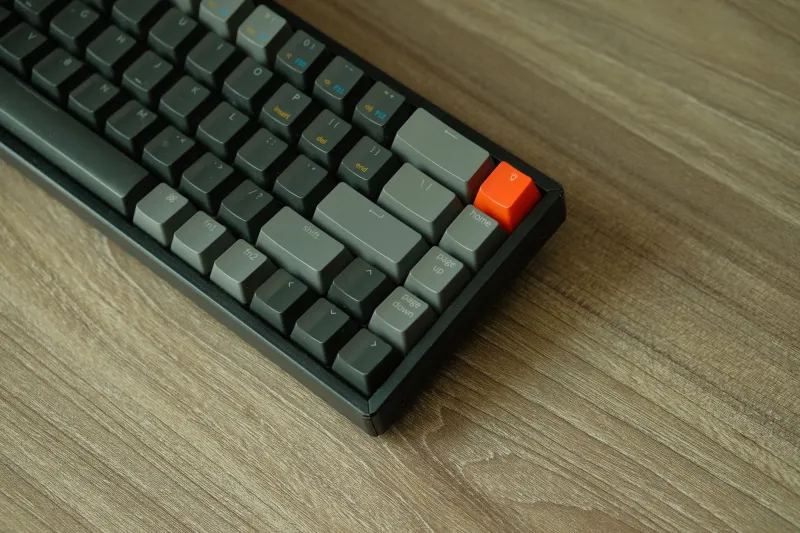
Compact mechanical keyboards — typically 60% or 65% layouts — have exploded in popularity over the last few years, and there's a real reason for it beyond keyboard enthusiast culture. A good portable mechanical genuinely changes the typing experience in ways that matter for productivity.
The tactile feedback loop is real. When you can feel the actuation point, your fingers stop bottoming out keys unnecessarily, which reduces fatigue over long sessions. Switches like the Gateron Brown or Kailh Box Red give you enough feedback without turning your coffee shop into an enemy of the people around you. (Clicky blues in public are a social contract violation. Don't do it.)
Because a standalone keyboard sits separate from your screen, you can position it wherever your body actually needs it — pulled closer, angled slightly, sitting on your lap while the laptop is elevated. That freedom matters more than most people realize until they've tried it.
The tradeoff is real though. A compact mechanical adds weight and footprint to your bag. Even a small 65% board is another object to track, charge or cable, and protect from the inevitable bag chaos. If your setup philosophy is strict minimalism, a mechanical keyboard might feel like a step backward.
Folding and Compact Travel Keyboards: The Compromise That Sometimes Works
There's a third category worth taking seriously: the folding or ultra-portable Bluetooth keyboard. These boards — think the iClever BK08 or the Jelly Comb foldable — collapse to roughly smartphone size and pair wirelessly with whatever device you're using.
For very specific use cases, they're actually great. If you're a light writer who needs to occasionally knock out emails from a tablet or phone, a folding keyboard is a genuinely elegant solution. It fits in a jacket pocket, weighs almost nothing, and works well enough for bursts of writing.
The problem is that "works well enough" is doing a lot of heavy lifting in that sentence. Folding keyboards almost universally have shallow, imprecise key feel. The fold seam creates a subtle but real inconsistency in the typing surface. And because they're optimized for compactness above all else, key sizing and spacing are often slightly off in ways that create persistent typos until your fingers adjust — and sometimes never fully do.
For a full workday of writing, coding, or any kind of sustained heavy input? Most folding keyboards will leave you frustrated by noon.
How Travel Duration Changes the Math
Here's something desktop workers genuinely don't contend with: the compounding effect of marginal discomfort over multiple days.
If you use a mediocre keyboard for one afternoon, you'll probably feel fine. If you use that same keyboard for five consecutive days of real work travel, the story changes. Wrist fatigue, finger soreness, shoulder tension from awkward positioning — these stack. What felt like a minor annoyance on day one becomes a real productivity drain by day four.
This is the argument for investing in a portable mechanical even if you're not a keyboard enthusiast. It's not about the typing feel in isolation. It's about preserving your physical capacity to work effectively across an entire trip, not just a single session.
If you're a road warrior who regularly takes multi-day work trips, the extra ounces of a compact mechanical keyboard are almost certainly worth it. If you're mostly working from the same coffee shop three blocks from home, your laptop keyboard might be perfectly fine.
A Few Practical Considerations Before You Buy
Before you pull the trigger on a portable mechanical, a few things worth checking:
Connectivity: Bluetooth is convenient but adds latency compared to wired. For typing, the latency is usually imperceptible. But if you're gaming or doing anything timing-sensitive, a USB-C wired option gives you a cleaner connection.
Battery life: Wireless mechanicals vary wildly on battery life. Some last months on a charge; others need attention every week. Know what you're signing up for.
Layout: 60% boards drop the number row function layer and sometimes arrow keys. If you work heavily in spreadsheets or need frequent function key access, a 65% or 75% layout preserves those without blowing up the size too much.
Noise in context: Even "quiet" mechanical switches are louder than laptop chiclets. Test your switches before committing to them as your daily carry if you work in shared spaces regularly.
The Bottom Line
There's no single right answer here — which is genuinely useful information, because it means you're free to make the call based on your actual work patterns rather than chasing some universal ideal.
If you work from coffee shops and hotels for more than a few consecutive days at a time, a compact mechanical keyboard is probably the most underrated upgrade you can make to your mobile setup. If your "mobile work" is mostly a single afternoon at a café once a week, your laptop keyboard is probably fine.
What's not fine in either case is never thinking about this at all. Your keyboard is the primary physical interface between your brain and your work. It deserves at least as much consideration as the bag you carry everything in.