ARM Is Eating the Laptop World — And Apple's Silicon Chips Are Why
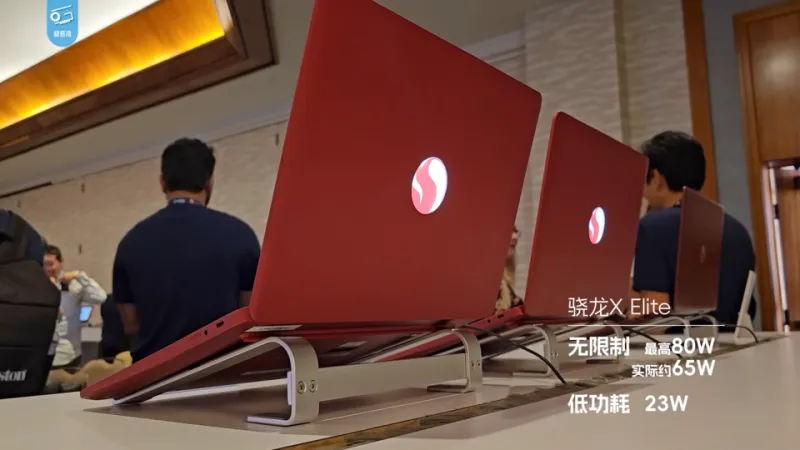
Photo: 极客湾Geekerwan, CC BY 3.0, via Wikimedia Commons
Not long ago, if you told a software developer or video editor that their next laptop would run on a phone chip, they'd have laughed you out of the room. Fast-forward to 2024, and those same professionals are swearing by their MacBook Pros, pulling off 4K timelines and compiling massive codebases on hardware that barely gets warm and lasts all day on a single charge. ARM architecture — once the domain of smartphones and tablets — has quietly staged a hostile takeover of serious portable computing. And Apple's M-series chips are the reason everyone's paying attention.
How We Got Here: The ARM Backstory
ARM processors have been inside your pocket for years. Every iPhone, Android flagship, and iPad runs on ARM-based silicon, designed around a philosophy of doing more with less power. The instruction set is fundamentally different from the x86 architecture that Intel and AMD have built their empires on — it's leaner, more efficient, and historically, less powerful for heavy workloads.
That last part changed dramatically when Apple introduced the M1 chip in late 2020. By designing its own silicon from the ground up and integrating CPU, GPU, Neural Engine, and memory onto a single die (what Apple calls a "system on a chip," or SoC), the company shattered expectations. Suddenly, a MacBook Air with no fan was outperforming Intel-based MacBook Pros in sustained workloads. The portable computing community had a genuine "wait, what?" moment.
The M-Series Benchmark Story
Apple didn't stop at M1. The M2 refined the architecture, and the M3 — built on TSMC's 3-nanometer process — pushed things further with hardware ray tracing and significant GPU improvements. What do the numbers actually look like for people who use their laptops as real workstations?
In Cinebench R23 multi-core tests, the M3 Pro trades blows with Intel's 13th-gen Core i9 processors — chips that require significantly more cooling and chew through battery like it's their job. In single-core performance, Apple's chips consistently rank among the best available, period. For tasks like Xcode builds, Final Cut Pro rendering, and machine learning inference, the performance-per-watt advantage is almost unfair.
But the benchmark that matters most to people actually working from airports, coffee shops, and co-working spaces? Battery life. The M2 MacBook Air routinely delivers 15-plus hours of real-world use. The M3 MacBook Pro pushes that even further under mixed workloads. Compare that to a comparable Windows ultrabook running x86, and you're often looking at half that runtime. For the mobile professional, that's not a spec sheet win — it's a lifestyle change.
The Developer Adoption Headache (and How It's Resolving)
Here's where things get complicated. ARM on Mac wasn't an instant utopia. When Apple transitioned from Intel, developers had to rebuild or recompile their apps for the new architecture. Rosetta 2 — Apple's translation layer — did a remarkable job running legacy x86 apps, but native ARM performance was always the goal.
In 2024, the ecosystem has largely caught up. Adobe's Creative Suite runs natively. Microsoft Office is optimized. Even many developer tools and scientific computing packages have ARM-native versions. The holdouts are shrinking. That said, if your workflow depends on niche Windows-only software or legacy enterprise tools, you're still navigating some friction. Virtualization solutions like Parallels help, but running x86 Windows apps on ARM Mac adds complexity that some IT departments simply don't want to deal with.
Qualcomm and Microsoft Enter the Chat
Apple's success was impossible to ignore, and the Windows side of the industry has been working overtime to respond. Qualcomm's Snapdragon X Elite and X Plus chips, announced for 2024 devices, represent the most credible ARM challenge to Apple's dominance on the Windows platform yet. Early benchmarks suggest the Snapdragon X Elite can genuinely compete with M3 in CPU performance — a claim that would have seemed absurd two years ago.
Microsoft has been pushing its Copilot+ PC initiative, which ties directly into the ARM narrative. These machines require a Neural Processing Unit capable of 40+ TOPS (trillion operations per second) — a spec tailor-made for Qualcomm's latest silicon. Manufacturers like Dell, HP, Lenovo, and Samsung have all released Snapdragon X-powered machines in 2024, giving Windows users their first real taste of what ARM-native performance feels like.
The catch? Windows on ARM still has a compatibility story to write. While Microsoft has improved x86 emulation significantly, some apps behave unpredictably, and driver support remains patchier than on x86 Windows machines. The software ecosystem is years behind where macOS ARM stands today. But the trajectory is clearly upward.
What This Means for Your Next Portable Workstation
So where does this leave you, the person trying to pick the right machine to stuff into a backpack and get actual work done?
If you're already in the Apple ecosystem or your work is Mac-compatible, the argument for an M-series MacBook has never been stronger. The combination of performance, battery endurance, and thermal efficiency is simply unmatched for a portable professional machine right now. The M3 MacBook Pro 14-inch, in particular, is the kind of device that makes you reconsider what a "workstation" even needs to look like.
If you're a Windows user, 2024 is the year to start paying serious attention to Snapdragon X devices — but maybe not the year to bet your entire workflow on one. Early adopters will hit rough edges. Those who wait six months will benefit from driver updates, software patches, and a broader selection of refined hardware.
Either way, the days of x86 being the unchallenged king of laptop performance are over. ARM has proven it belongs at the professional table, and the competition it's sparking is only going to produce better, more capable portable machines for everyone. That's a win for anyone who believes serious work shouldn't require a power outlet nearby.